

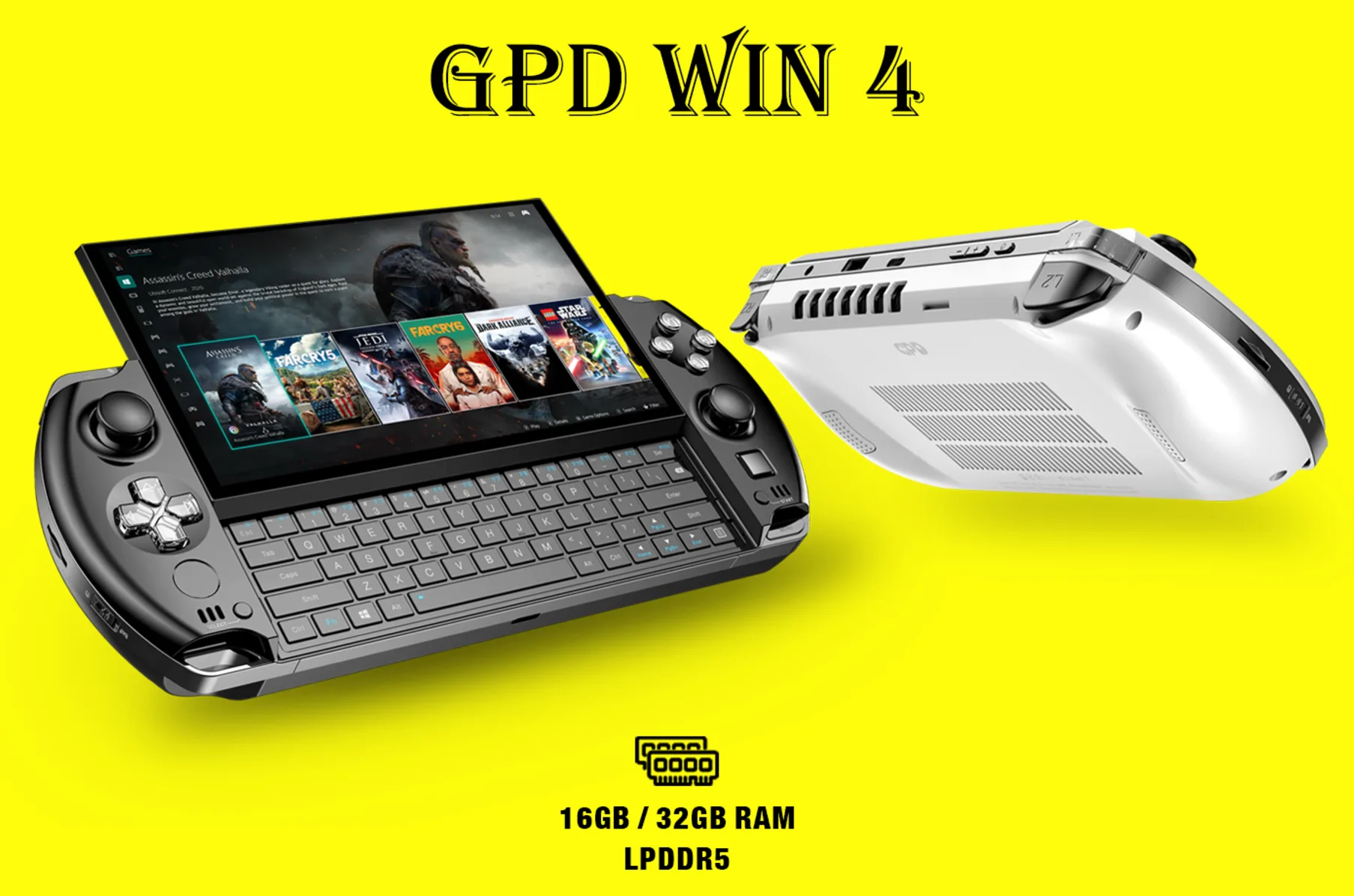
In a landscape predominantly influenced by powerful gaming consoles, GPD WIN4 emerges as a spectacular innovation in handheld computing and gaming. Integrating remarkable capabilities into a pocket-sized design, the WIN4 offers users the prowess to delve into their gaming realms while ensuring utilitarian functionalities remain at their fingertips.
Understanding the GPD WIN4
A Blend of Portability and Power
Harnessing the essence of formidable components, the GPD WIN4 converges reliable functionality and exhilarating gaming into a portable marvel.
Central Processing Unit (CPU): 6800U variant, ensuring an expediently agile performance.
Graphics Processing Unit (GPU): Tailored for effective handling of graphically intensive applications.
Memory: Available in variants, ensuring users can select a model suited to their use-case scenarios.
Exploring the Design
The WIN4, while meticulously crafted, ensures ease of portability without compromising on its robust capabilities.
Keyboard and Button Layout: Carefully architected to ensure ergonomics and functionality coalesce.
Display: Ensuring vivid visual experiences and touch input proficiency.
Ports: Arrayed to support varied connectivity and transmission needs.
Precise Hardware Testing: Ensuring Optimality
Unveiling Reliable Performance
When indulging in high-stakes gaming or managing impactful software applications, ensuring your hardware’s tenacity is crucial.
GPU Under Load Testing
Evaluating the GPU under various stress scenarios, from AAA games and 3Dmark to applications like Photoshop, assures users of its capability to endure demanding tasks.
BIOS Evaluation
It’s pivotal to ensure the BIOS version is congruent with the device’s needs, updating only when vital to the system’s stability.
Keyboard, Button, and Port Testing
A meticulous examination of all input buttons, and keyboard keys, and a thorough check of all the ports ensures operational consistency and reliability.
Evaluating Storage Speeds
Leveraging Crystal Disk Mark, users can validate storage speeds across all ports, securing the assurance of optimal data transmission and storage capabilities.
Expertly Navigating Known Issues
Screen Challenges
Resolving Discrepancies in Touch Input
In certain scenarios, an incongruence between the touch input and registered input has been identified. The incorporation of a specific driver has proven effective in rectifying this issue.
Redefining Portable Gaming: The Unveiling of the Abxylute Handheld
Addressing Screen Synchronization and Jitters
Through a concerted exploration of the challenge, this appears to stem from the Chip responsible for transitioning the screen between portrait and landscape modes. Utilizing the official fix, or the community-driven guide created by member e1000, has demonstrated efficacy in resolving the issue.
Installation Mastery
Embracing a Flexible OS Installation
Windows Installation
Adhering to structured methodologies for installing Windows, either through GPD’s ISO or Microsoft’s clean Windows ISO, facilitates a solid foundation for your WIN4.
SteamOS Alternatives
Exploring the realms of SteamDeck OS or the official SteamOS ISO also emerges as a viable option, with specific resources and guides available for users venturing into these OS installations.
Ayaneo Kun: A Revolutionary Leap into Handheld Gaming PCs
Essential Drivers & Applications
To ensure the WIN4 operates at its pinnacle, various drivers and applications have been provided. From the AMD Adrenalin software, and GPD Driver pack, to BIOS Files, users can explore these to ensure their device remains optimized.
Closing Thoughts
The GPD WIN4, while a marvel in handheld computing and gaming, requires meticulous understanding and navigation. Through this guide, we explore its functionalities, resolve challenges, and ensure its operability remains at peak performance.

